2. Plans & pricing
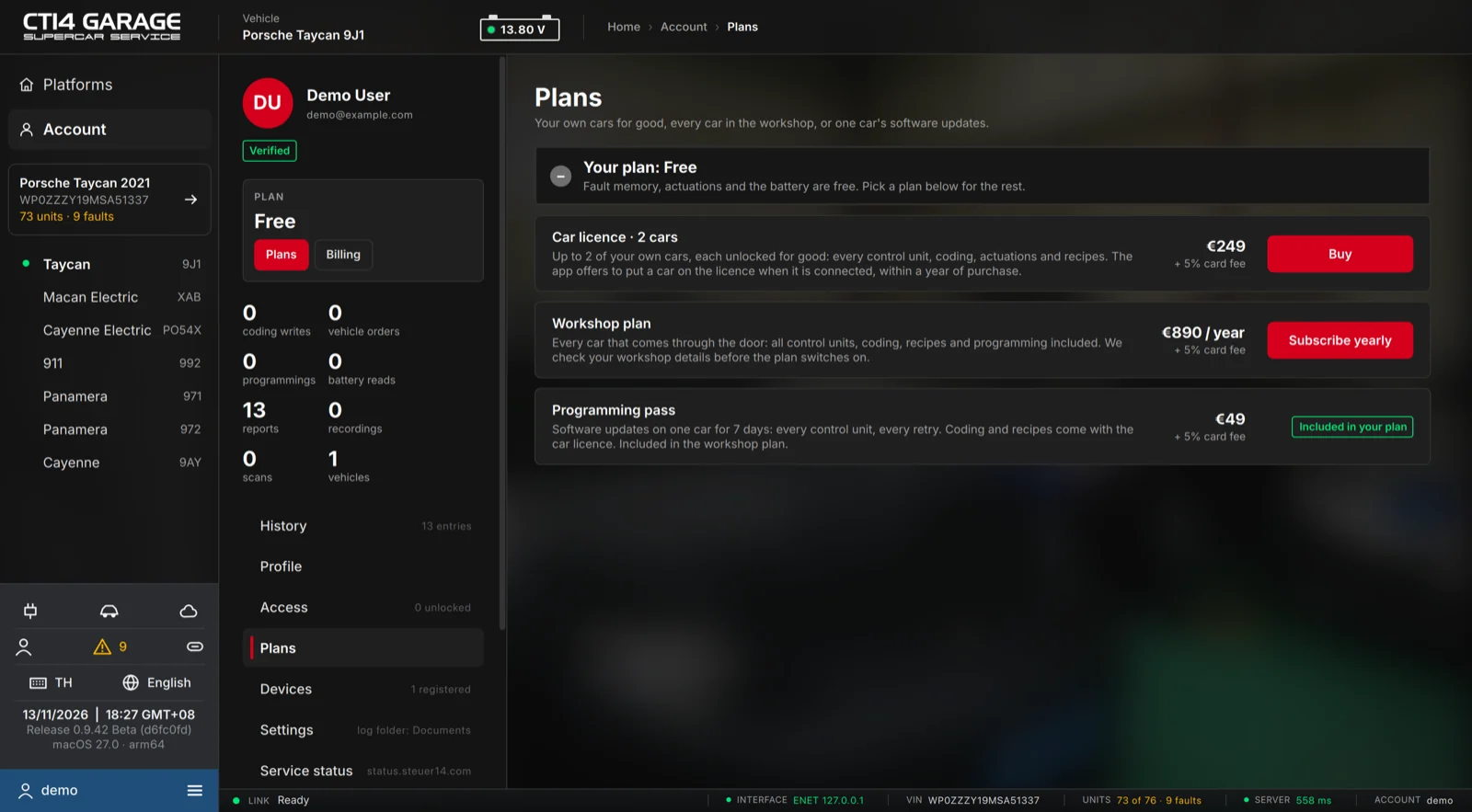
STEUER14 prices the car, never a single control unit. Diagnosing is free; everything that changes the car comes with a car licence or the workshop plan; software updates need a programming pass or the workshop plan. All prices are in euro, plus a 5% card fee at checkout. The current prices are on the pricing page.
Coding or programming?
- Coding changes a unit's settings, like the settings on your phone. Recipes are coding. → Car licence or workshop plan.
- Programming updates a unit's software, like a phone software update. → Programming pass or workshop plan.
What each option covers
| Function | Free | Car licence | Workshop plan |
|---|---|---|---|
| Fault memory — read & erase, live, with descriptions, fault levels and freeze frames | ✓ | ✓ | ✓ |
| High-voltage battery module (BMS) — every platform | ✓ | ✓ | ✓ |
| Community fixes — read | ✓ | ✓ | ✓ |
| Coding recipes — what each one does, Check this car, sound previews | ✓ | ✓ | ✓ |
| Actuator tests, every control unit (except those that need the security unlock) | ✓ | ✓ | ✓ |
| Identification and live values, every value of every control unit | preview | ✓ | ✓ |
| Actuator tests that need the security unlock | — | ✓ | ✓ |
| Coding and automatic coding | — | ✓ | ✓ |
| Running coding recipes and vehicle-order edits | — | ✓ | ✓ |
| Maintenance procedures and special functions | — | ✓ | ✓ |
| Guided fault finding — full test plans | — | ✓ | ✓ |
| Community fixes — share your own | — | ✓ | ✓ |
| Software updates (programming) | — | + pass | ✓ |
| Your workshop name and logo on reports | — | — | ✓ |
Free
Every account can read and erase fault memory on every control unit — live, with the descriptions, fault levels and freeze frames — run every actuator test that needs no security unlock, and use the whole high-voltage battery module on every platform. On the Coding recipes tab everyone can read what a recipe does, listen to the sound previews and run Check this car, which tests the car against the recipe without writing anything (see chapter 8). No card, no expiry.
In the control-unit list, a unit your plan only previews carries Preview next to its name. Its pages show the first identification and live values and the list of what is there, with a lock line (N more values locked) and a Car licence or workshop plan button.
Car licence — €249, two cars, for good
For owners: two of your own cars, each unlocked for good — every control unit, coding, actuations, recipes, maintenance and special functions.
- Buy it under Account → Plans → Car licence → Buy (or in the web panel under Billing).
- When a car is connected, the app offers to put it on the licence. Each car must be assigned within a year of purchase.
- A licence is tied to the car, not the computer: it works on any computer you sign in on. It never transfers if you sell the car.
One more car — €125
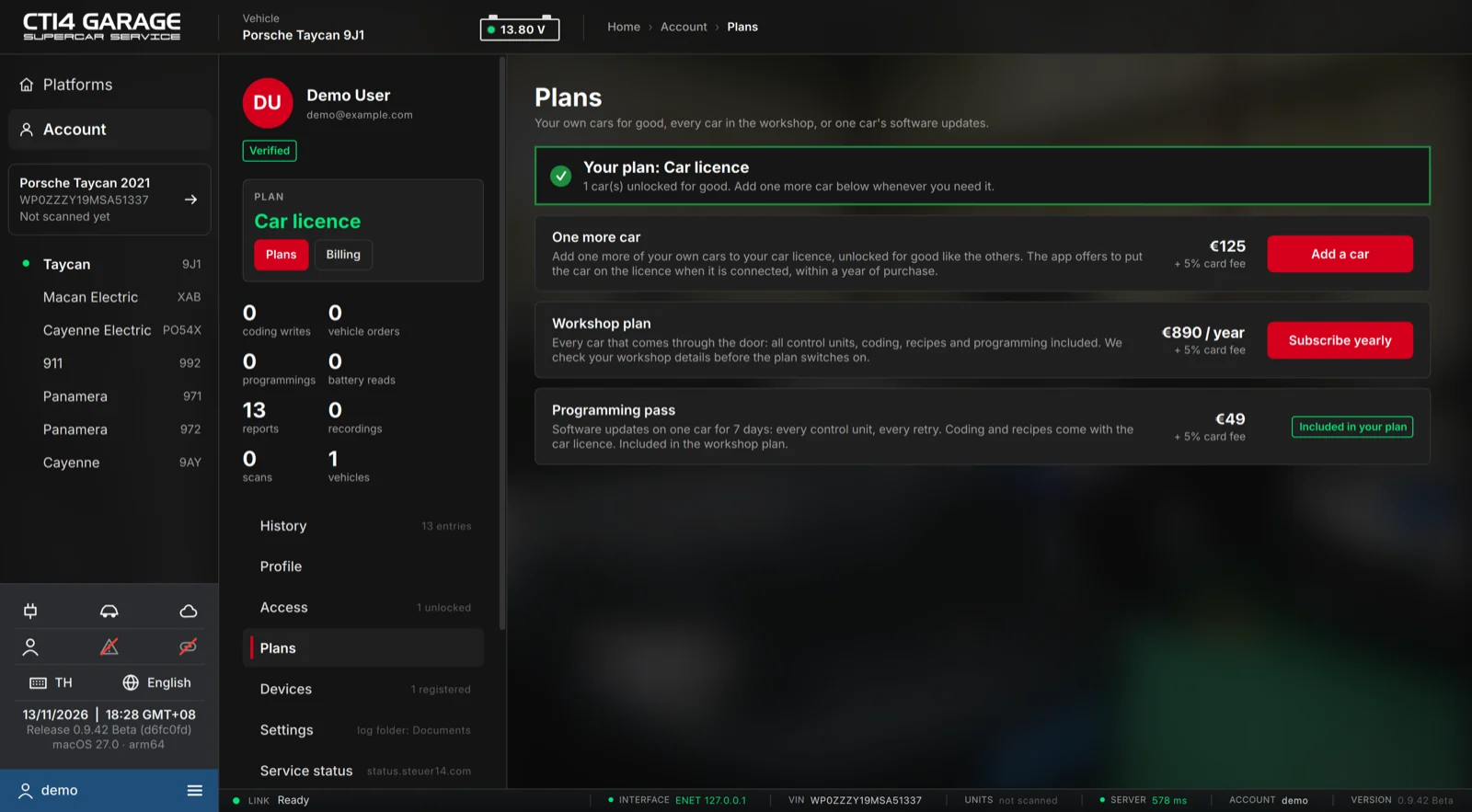
A car licence can grow one car at a time: €125 per car (plus the card fee), unlocked for good like the first two. Like them, a car added this way is assigned within a year of purchase.
- In the app, with the car connected: when the app reads a car that is not on your licence and every car on it is in use, it asks whether to add it — choose Add this car. The payment page opens in your browser and the car is put on the licence as soon as the payment arrives.
- Under Account → Plans: with a car licence, the plan list shows how many cars are unlocked and a One more car row. Buy it whenever you need it; the next car you connect is offered the new place.
- In the web panel under Billing (see chapter 20).
One more car is sold only to car-licence holders — buy the car licence first.
Car identity. A licence (and a programming pass) is tied to the car it was bought for — by its VIN and the identity of its gateway control unit, which the app reads from the car. If the gateway is replaced, the new one is accepted automatically once a year; after that, contact support (see chapter 18).
Workshop plan — €890 per year
For workshops: every car that comes through the door, all control units, coding, recipes and programming included.
- Choose Subscribe yearly under Account → Plans. (The monthly plan is no longer sold; workshops that bought it keep it.)
- Fill in Account → Workshop details (business name, address, contact). The plan switches on once STEUER14 has checked the details; you get an e-mail when it is approved.
- The workshop plan runs on one computer at a time. Moving it to another computer uses one of three device changes per year (see Account → Devices). It runs on a Mac or a Windows computer: a workshop account cannot sign in on Linux (Linux has no hardware key to bind the plan to). The web panel works from anywhere.
- Reports carry your workshop name and logo, and a Customer field for the car's owner.
- The workshop plan can also switch backups off for the experienced — super engineer mode, see chapter 7.
Programming pass — €49, one car, 7 days
Software updates on one car for 7 days: every control unit, every flash container and every retry. Not for coding or recipes — those come with the car licence. It is included in the workshop plan, and it is sold for a car on your car licence — put the car on a licence first.
- Buy it in the app, with the car connected, from the programming page (Buy programming pass · €49) — see chapter 12 — or under Account → Plans → Buy for this car. The payment page opens in your browser; the app continues as soon as the payment arrives.
- While a pass is active the plan list shows Active until …. A pass that would run out during a programming sequence is extended so the sequence can finish.
Paying
Purchases open the secure payment page in your browser. Card payments carry a 5% card fee on top of the listed price. When you return, the app updates your plan by itself. Receipts and invoices are in the web panel under Billing (see chapter 20).
All sales are final and are not refunded, so try the free functions on your car first — Check this car on a recipe tells you before you buy whether your car is ready for it (see the Terms and Conditions, section 7).