1. Getting started
Installing
Download STEUER14 for macOS or Windows from steuer14.com → Download and install it like any other application. The app keeps itself up to date: it checks for new releases and offers them under Account → Settings → Updates (see chapter 19).
System requirements: macOS 13 (Ventura) or later on a Mac with Apple silicon (M1 or newer), or 64-bit Windows 10 / 11.
The first time the app looks for a car, the operating system may ask for network access:
- macOS asks for Local Network access. Allow it, otherwise the car's DoIP answers are dropped.
- Windows may show a Windows Firewall prompt. Allow access on private and public networks; the car answers on the ENET cable's own network.
Creating an account
- On steuer14.com choose Get started (or Register on steuer14.com in the app's sign-in screen) and enter your e-mail address.
- Open the confirmation link from the e-mail and choose a username and a password.
- The account starts on the free tier. A car licence or the workshop plan can be added at any time (see chapter 2).
Forgot your password? Use Reset it on steuer14.com in the sign-in screen: you receive a link by e-mail and choose a new password in the browser.
Signing in
On the first run — or after you sign out — the app shows the sign-in screen:
- EMAIL — your account e-mail (
[email protected]). - PASSWORD — use Show / Hide to check what you typed.
- Press Sign in (or Enter).
If your account has two-factor sign-in on, a Two-factor sign-in window follows the password on a computer the account does not know yet: enter the 6-digit code from your authenticator app (or one of your recovery codes) and press Verify. A computer that is already registered on your account — your bound workshop PC — signs in with the password alone. Two-factor sign-in is turned on in the web panel (see chapter 20).
Signing in registers this computer as a device on your account (see Account → Devices). The app keeps you signed in between runs.
On the workshop plan the account works on one computer at a time. Signing in on another computer asks Move this account to this computer? and tells you how many device changes are left (three per year). Car licences and programming passes are not tied to a computer.
The main window
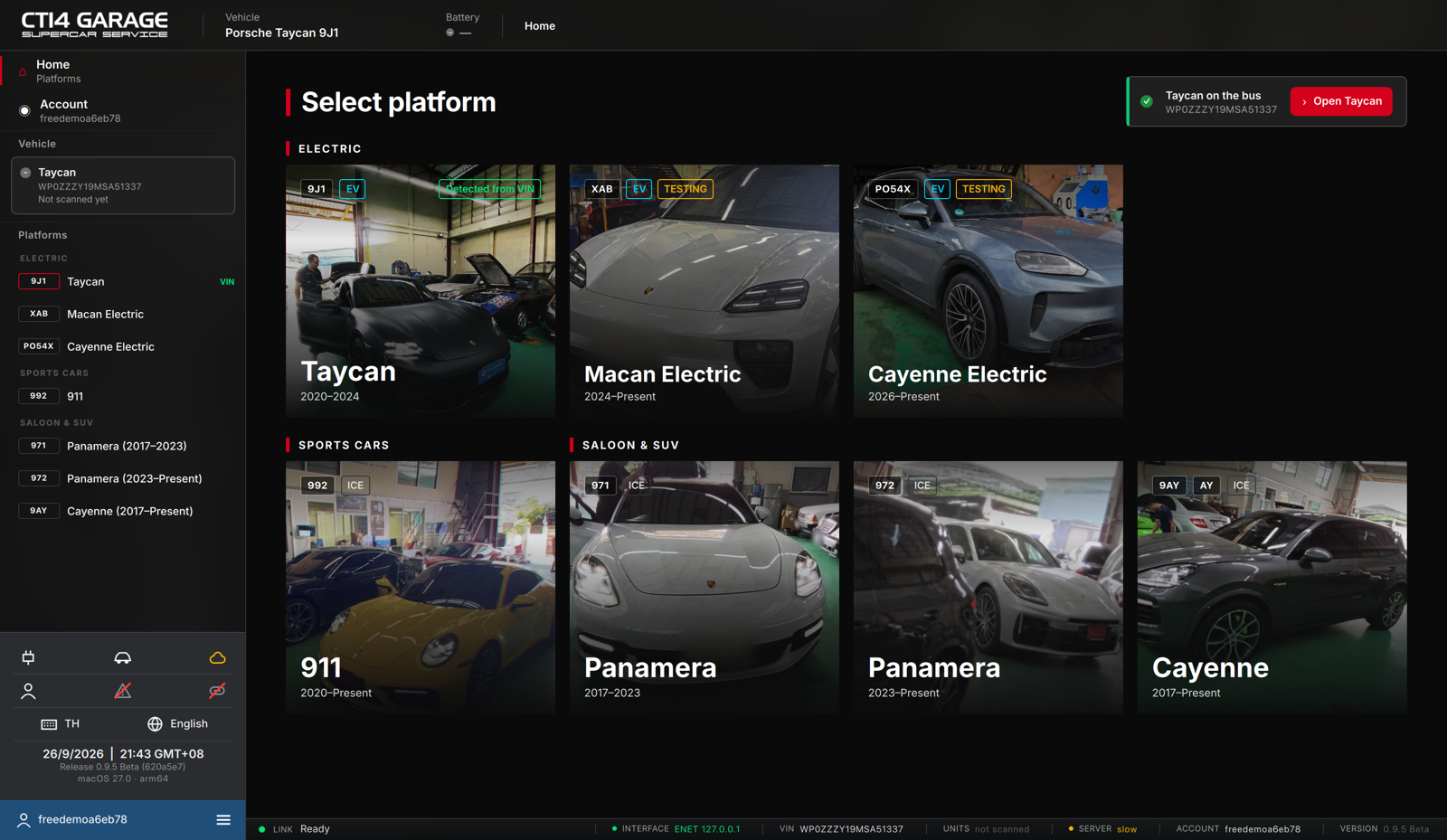
The window frame is the same on every screen:
- Top bar — the CT14 Garage logo, the current Vehicle, the Battery voltage of the car on the cable, and a breadcrumb trail (e.g. Home › Taycan 9J1 › Control units). Click a crumb to go back.
- Left sidebar — Home, Account, the Vehicle card of the car on the cable (VIN, units scanned, faults) and the Platforms list, grouped into Electric, Sports cars and Saloon & SUV. At the bottom are status icons (interface, vehicle, server, session, faults, link), the keyboard and interface-language switches, the date and the app version. The ≡ menu opens the account sections, Support and Sign out.
- Status bar (bottom) — the vehicle-link activity on the left (Link · Ready), and, on the right, the Interface, VIN, Units scanned, Server latency and Account.
The home screen is Select platform. Click a platform tile to open its control-unit overview. When a car is connected, the tile of its platform is marked Detected from VIN and a banner offers to open it directly.
Connecting to the vehicle
STEUER14 talks to the car through an ENET (Ethernet-to-OBD / DoIP) cable plugged into the diagnostic port. The app looks for the car on its own and recognises the platform from the VIN.
The car does not hand out network addresses: leave the ENET adapter on automatic (DHCP) with no manual IP address. After plugging in, the computer gives itself a 169.254.x.x address within about a minute; the ignition must be on for the gateway to answer.
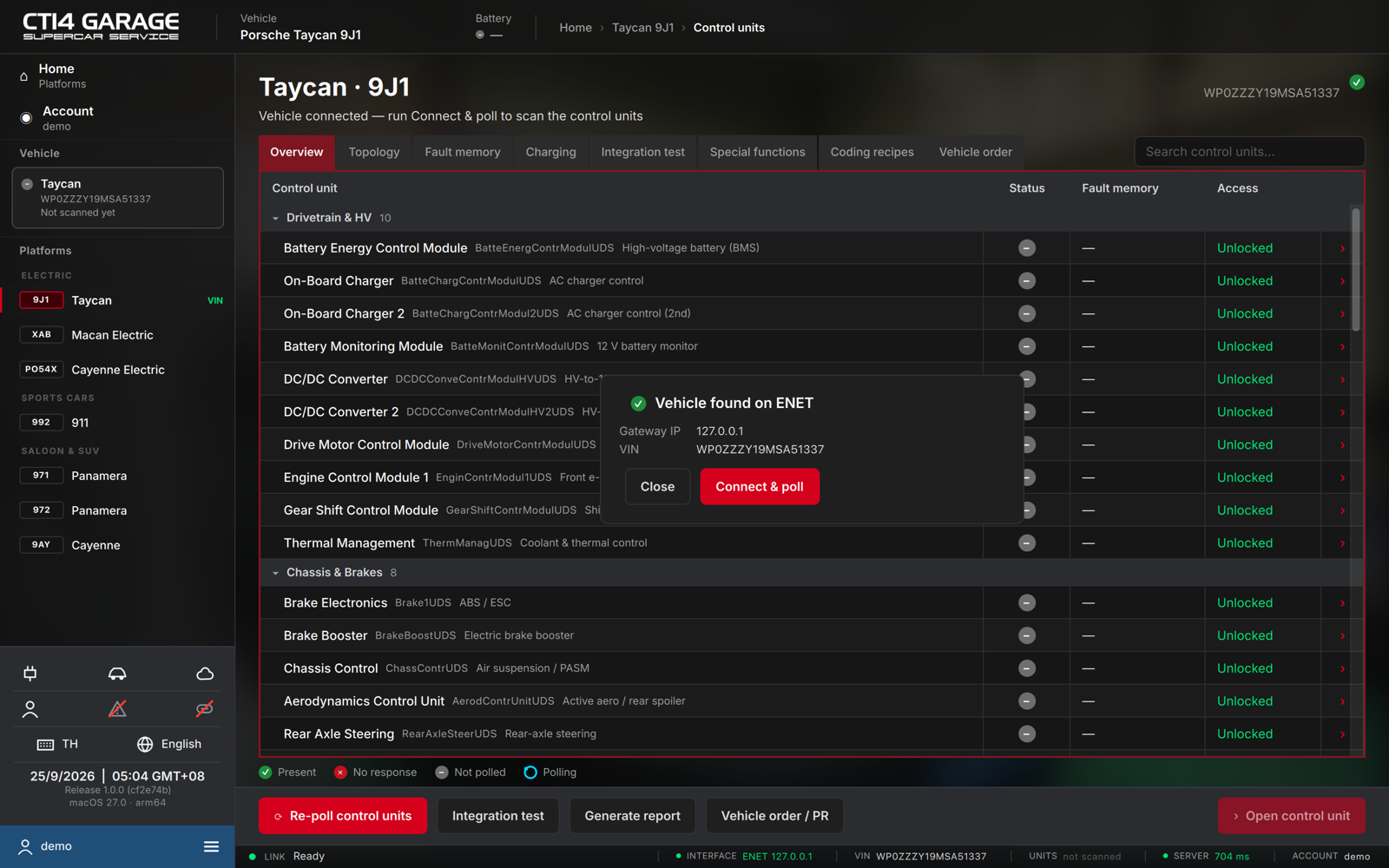
- When the car is found, the pop-up reads Vehicle found on ENET and shows the Gateway IP and VIN.
- Press Connect & poll to scan the control units (see chapter 3), or Close to dismiss the pop-up and scan later.
- If no car is found, check that the cable is plugged in and the ignition is on; the app keeps looking and connects on its own. Support → Troubleshooting checks the cable, the network and the server step by step (see chapter 18).
If the connection drops (cable out, ignition off), the status bar says so and the app reconnects by itself when the car is back.
Switching platform while a car is connected
Clicking another platform in the sidebar while a car of a different platform is on the cable asks first:
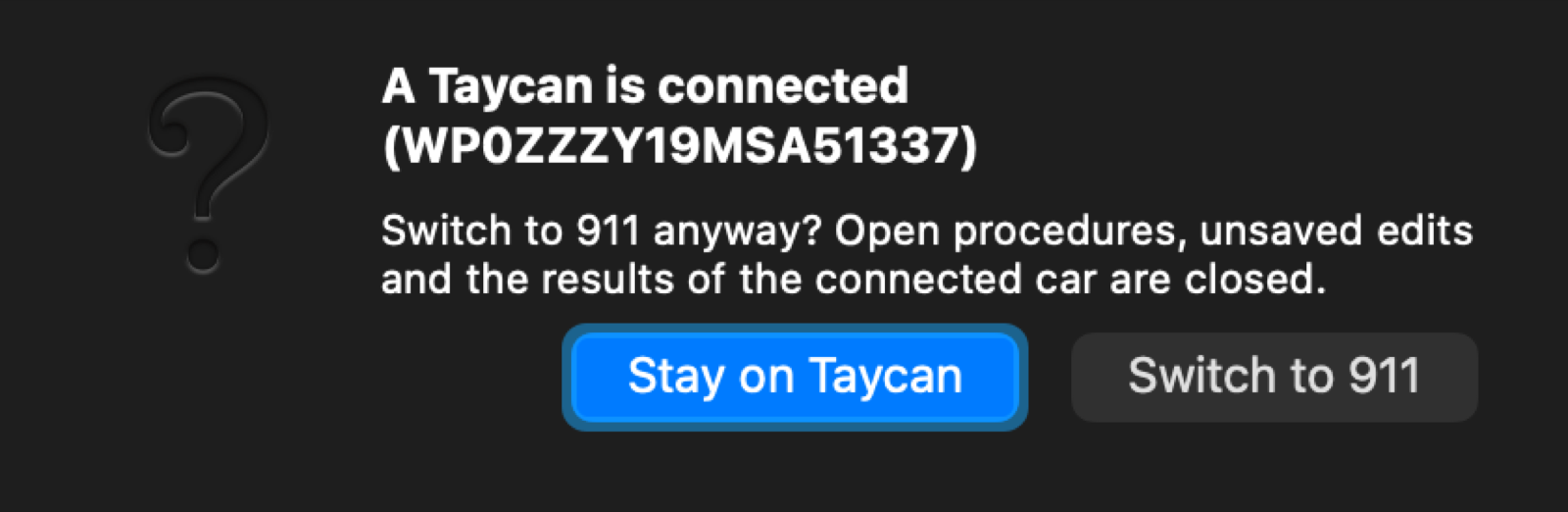
- Stay on … keeps the connected car.
- Switch to … closes open procedures, unsaved edits and the connected car's results, and opens the other platform.
With no car connected, the platform switches straight away.
Closing the app during a write
While a control unit is being programmed, the window cannot be closed — interrupting programming can leave the unit without working software. During a coding or vehicle-order write the app asks before closing. The Release link button in the status bar is disabled while programming runs, for the same reason.