6. Live values
Live values are the real-time measurements a control unit reports — voltages, temperatures, states, counters and so on. STEUER14 decodes them from the unit's measurement catalog and shows them in a filterable table, and can record them to a file.
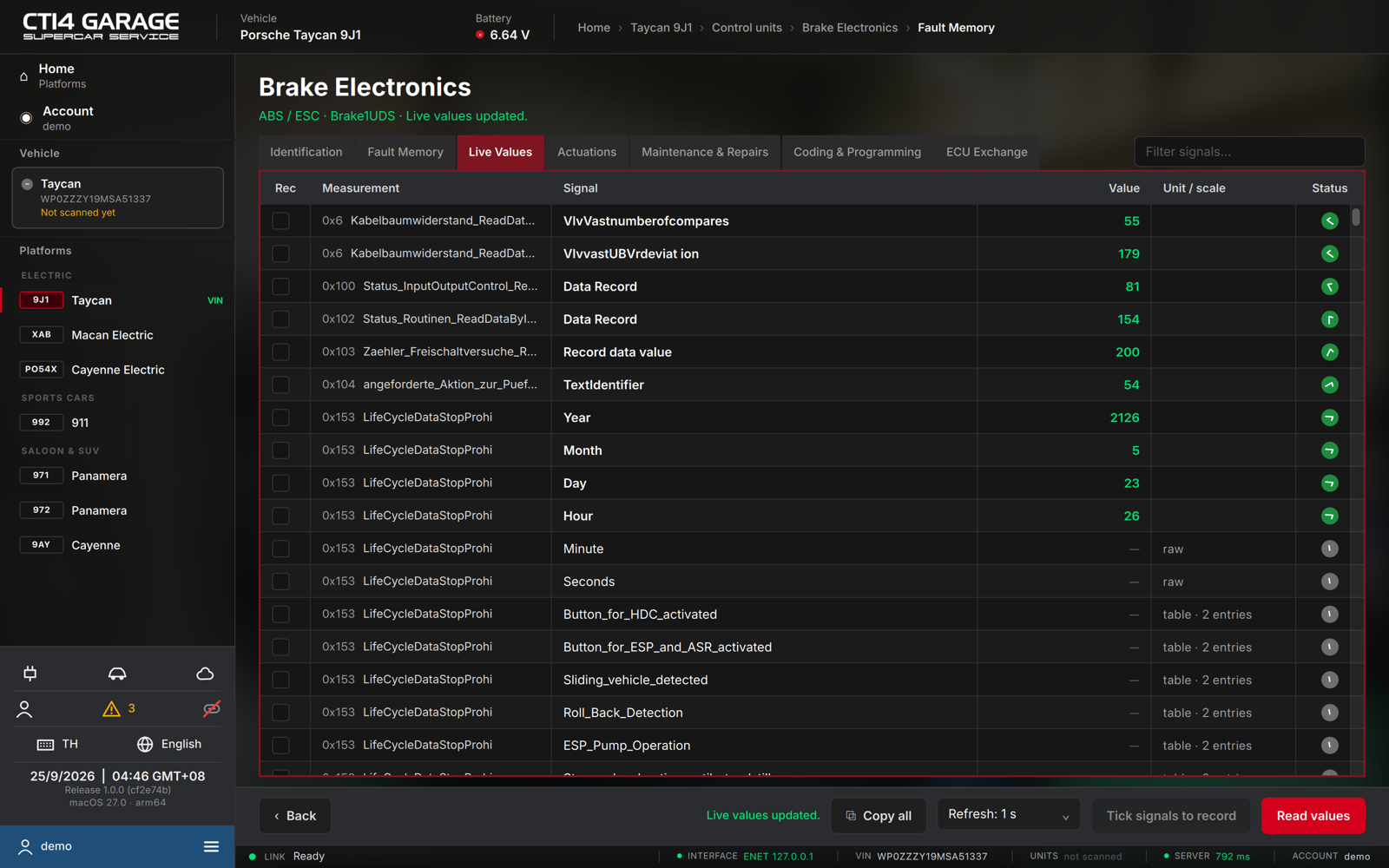
Reading live values
- Open a control unit and select the Live Values tab. The app loads the decode catalog for the unit's variant and starts reading; values keep refreshing while the tab is open.
- Each row shows the Measurement (its DID and group), the Signal name, the current Value, the Unit / scale, and a Status pictogram (✓ read, ○ reading, – not yet read).
- Choose how often the values refresh with Refresh: 1 s / 2 s / 5 s / 10 s, or press Read values to read at once. Copy all copies the table as text.
Filtering
Use Filter signals… at the top right to narrow the table to matching measurements or signals; matching is word by word. Press Esc in the field to clear it.
Recording
- Tick the Rec box of every signal you want to record (Deselect all clears them).
- Press Record N signals. The status line counts the samples and the time while it runs.
- Press Stop recording. The recording is saved as a CSV file in your log folder (see Account → Settings) and kept in your account history under Recordings, so it can be downloaded again on any computer.
Choosing a variant
The app picks the right catalog variant by itself. If it cannot, a Variant chip row appears above the table: choose Auto or a specific variant.
Locked values
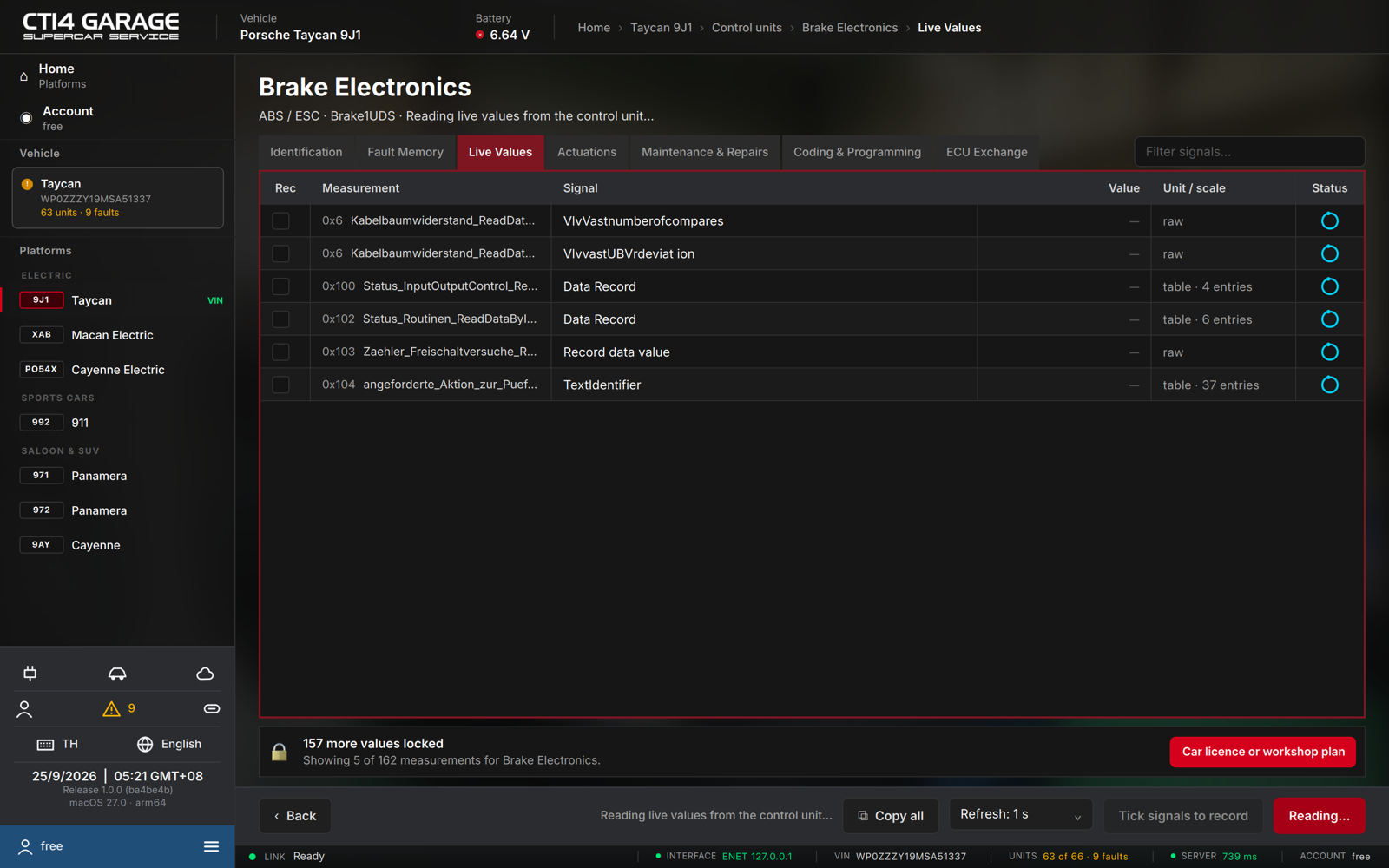
Without a car licence or the workshop plan, the table shows the first measurements and a lock strip: N more values locked. Press Car licence or workshop plan to see the options (see chapter 2). The high-voltage battery module is free and never locked.