11. Vehicle order (PR numbers)
The vehicle order (Fahrzeugauftrag) is the car's build record, stored in the instrument cluster: its PR numbers (equipment codes), X and Z numbers, and a header. STEUER14 reads it, decodes each code against the PIWIS definitions, lets you edit it, and keeps server backups.
Open it from the control-unit overview with Vehicle order / PR, or the Vehicle order tab.
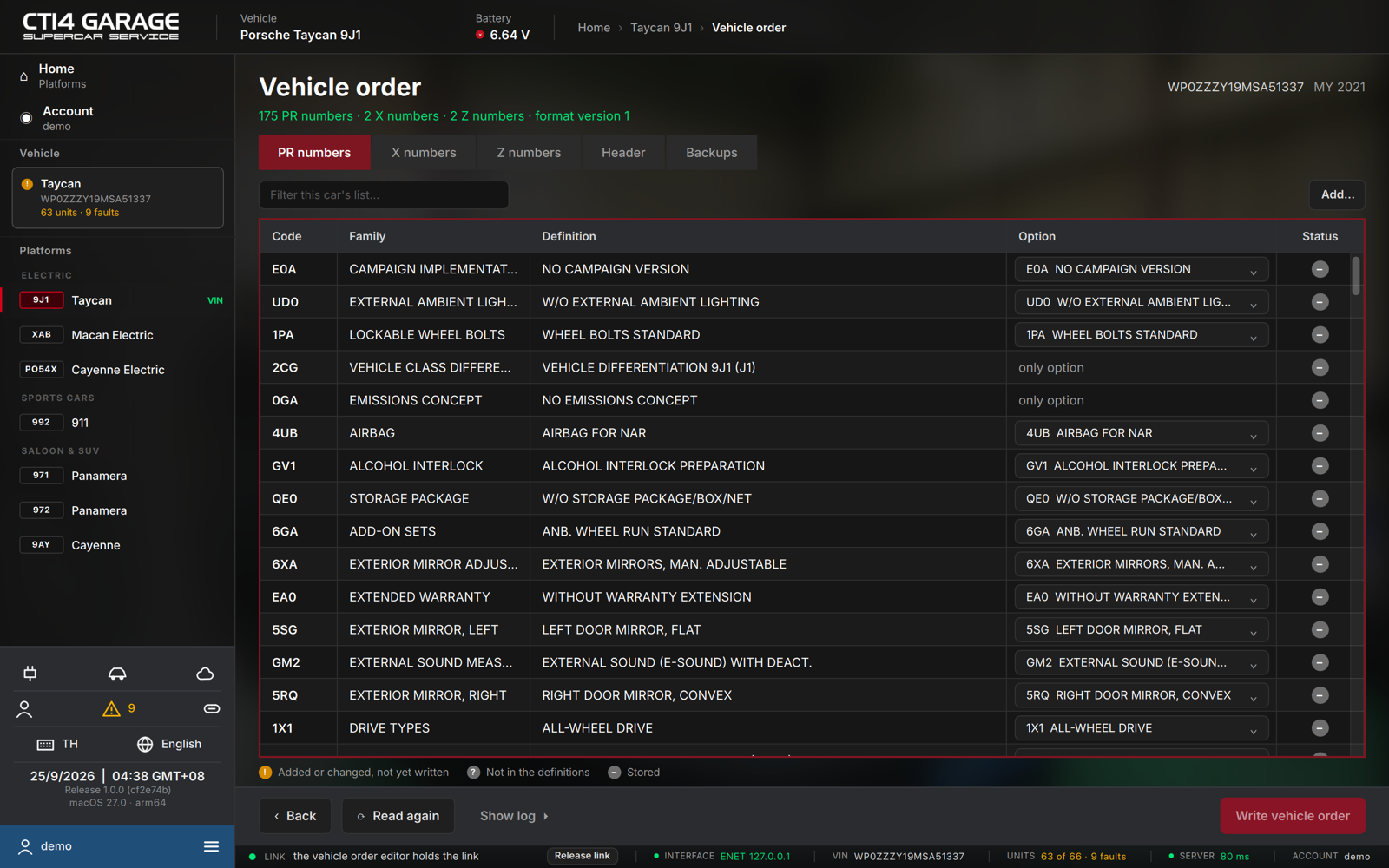
The summary line reports the counts (N PR numbers · N X numbers · N Z numbers · format …) and any pending changes; the VIN and model year sit at the top right. Five tabs organise the record:
- PR numbers — the equipment codes, one per row: Code, Family, Definition, an Option dropdown and a Status pictogram. Filter with Filter this car's list…, or add a code with Add… (opens the definition browser).
- X numbers / Z numbers — the supplementary codes; Add / Remove each.
- Header — the raw order header, as ASCII (read-only) and hex (editable).
- Backups — every server copy of this car's order, with its reason (Original / Before a write / Before a restore) and timestamp.
Editing and writing
- On the PR numbers tab, change a code's Option with its dropdown, or Remove it; add codes with Add…. Changed rows are flagged Added or changed, not yet written.
- Press Write vehicle order.
- Confirm Write the vehicle order? — the current record is backed up to the server first, then the new one is written and read back to verify.
Editing the vehicle order needs a car licence or the workshop plan.
Restoring
- Open the Backups tab and select a copy.
- Press Restore… and confirm Restore this copy? — the current record is backed up first, so the restore itself can be undone.
Adding a code from the definitions
Add… opens PR number definitions: search by code, description or family, then double-click a definition (or select it and press Add). Codes already in the order are marked ✓.
Families and definitions appear in the interface language where a translation exists; the rest show the original German text from PIWIS.