16. Charging
The Charging tab of the Taycan's control-unit overview gathers the charging system in one table: the charging state, both charge ports, AC and DC charging, the high-voltage battery and thermal management — the values a technician looks at when a car does not charge.
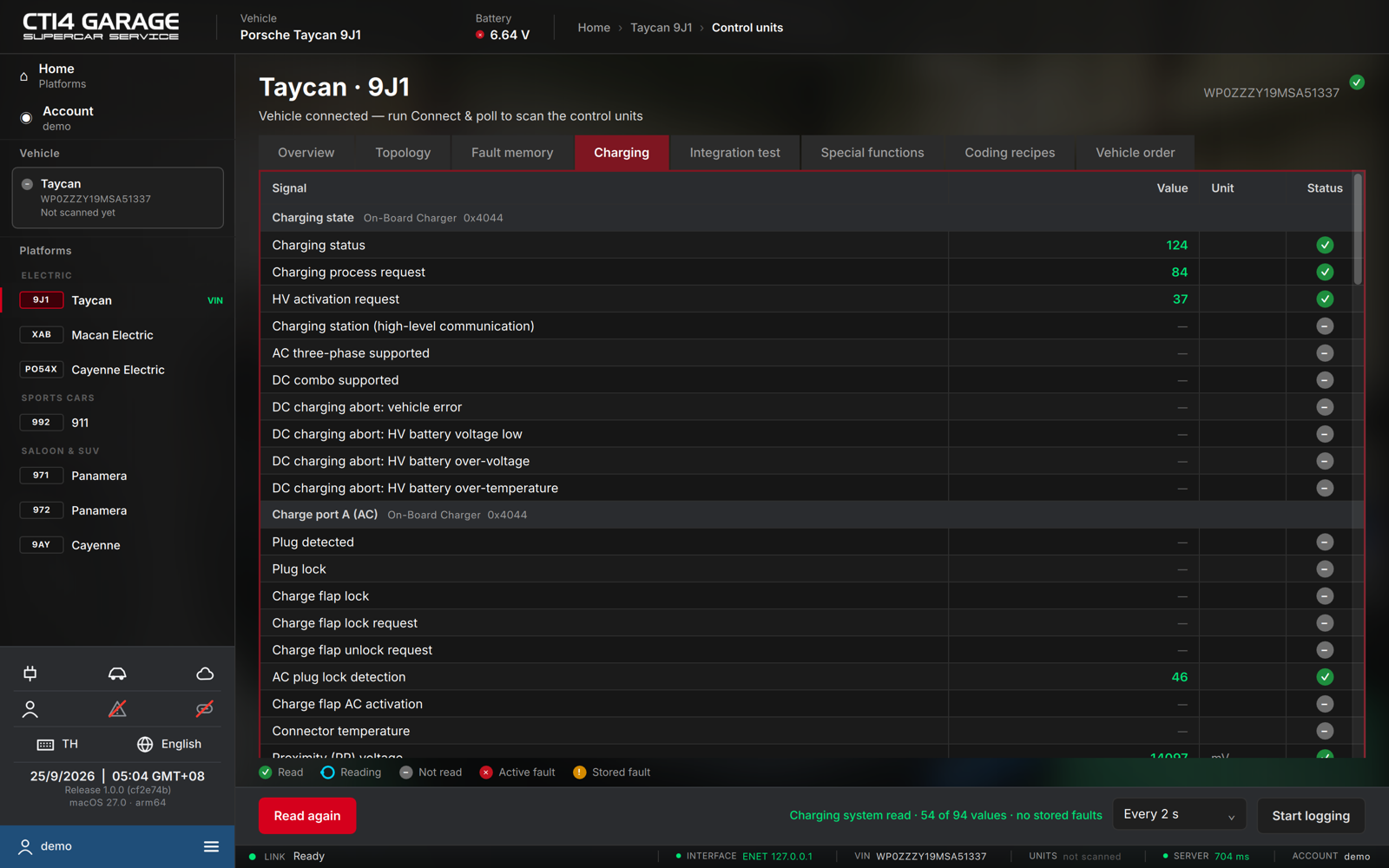
Reading the charging system
- Connect the car and open the Charging tab. The app reads every charging signal from the units involved (on-board charger, charge ports, battery).
- The table is grouped by function — Charging state, Charge port A (AC), Charge port B (DC) and so on — each group naming the control unit and its address. Each row shows the Signal, its Value, the Unit and a Status pictogram (✓ read, ○ reading, – not read, ✕ active fault, ! stored fault).
- The function bar sums it up — Charging system read · N of M values · no stored faults — and Read again re-reads the table.
Logging a charging session
To follow a charge over time, pick an interval (Every 2 s, …) and press Start logging. The app reads the table at that interval until you press Stop logging. The log is saved as a CSV file in your log folder (see Account → Settings) and kept in your account history under Recordings.