14. Identification
The Identification tab reads a control unit's identity data — spare-part number, software and hardware versions, serial numbers, dataset, programming status and more.
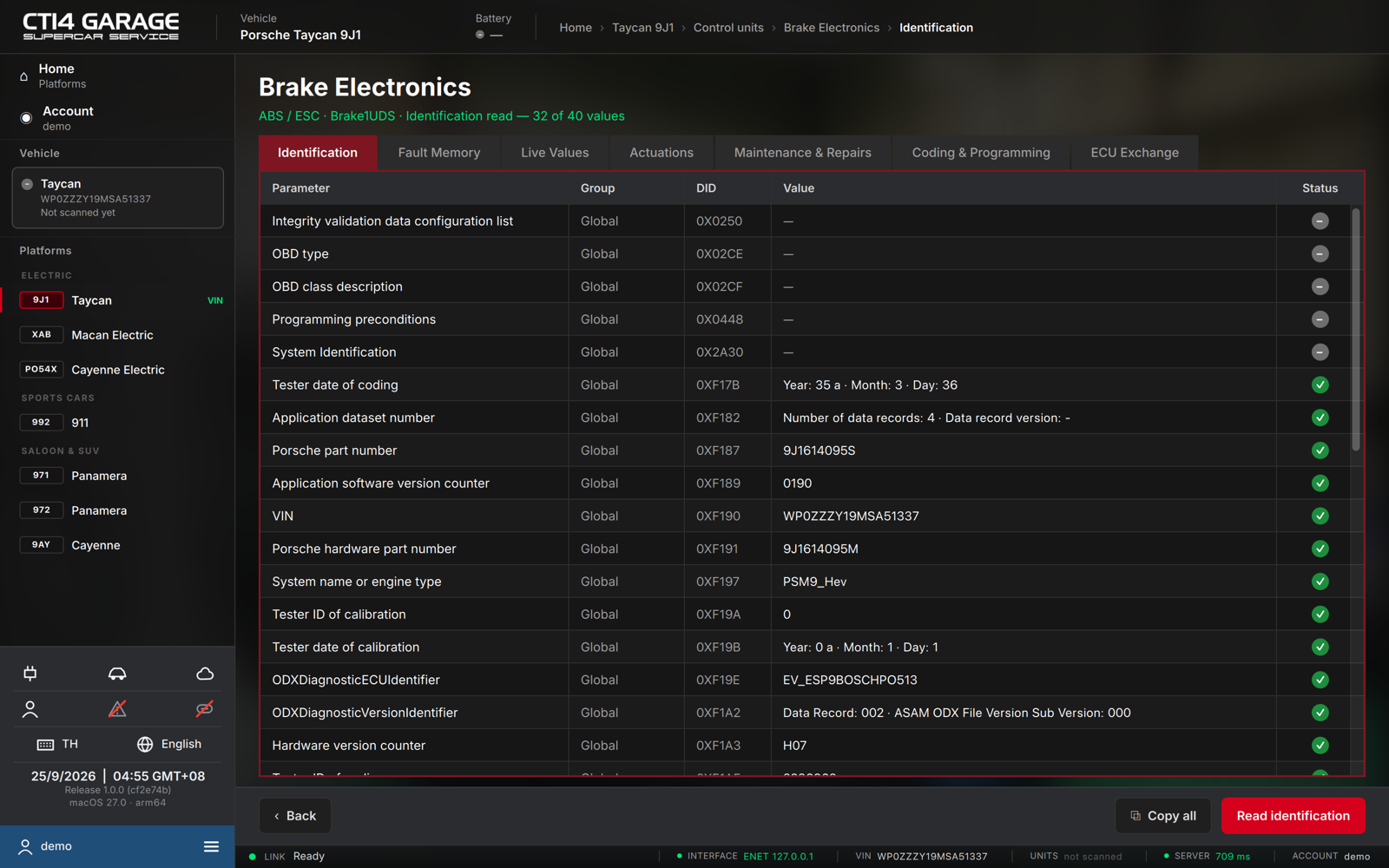
Reading identification
- Open a control unit and select the Identification tab. The app reads the identification on entry; if the vehicle link is busy it retries until it is free. Press Read identification to re-read.
- Each row shows the Parameter, its Group (Global, Programming, Trace, Sub-unit, Other), the DID it comes from, the Value and a Status pictogram (✓ read, – no value).
- The verdict line reports how many values were read, e.g. Identification read — 32 of 40 values. Copy all copies the table as text.
Typical values include the Porsche part number and hardware part number, the application software version counter, the VIN the unit has stored, the system name / engine type, the ODX diagnostic ECU identifier and the hardware version counter.
The car must be connected. Some values are not provided by every control unit and appear as —.