8. Coding recipes
Coding recipes are ready-made, server-authored coding jobs for the platform — for example Matrix headlight activation or Rear spoiler height. A recipe bundles several steps (coding values, vehicle-order PR changes, automatic-coding runs) across one or more control units, so you apply a feature without editing each parameter by hand.
Open them from the control-unit overview's Coding recipes tab.
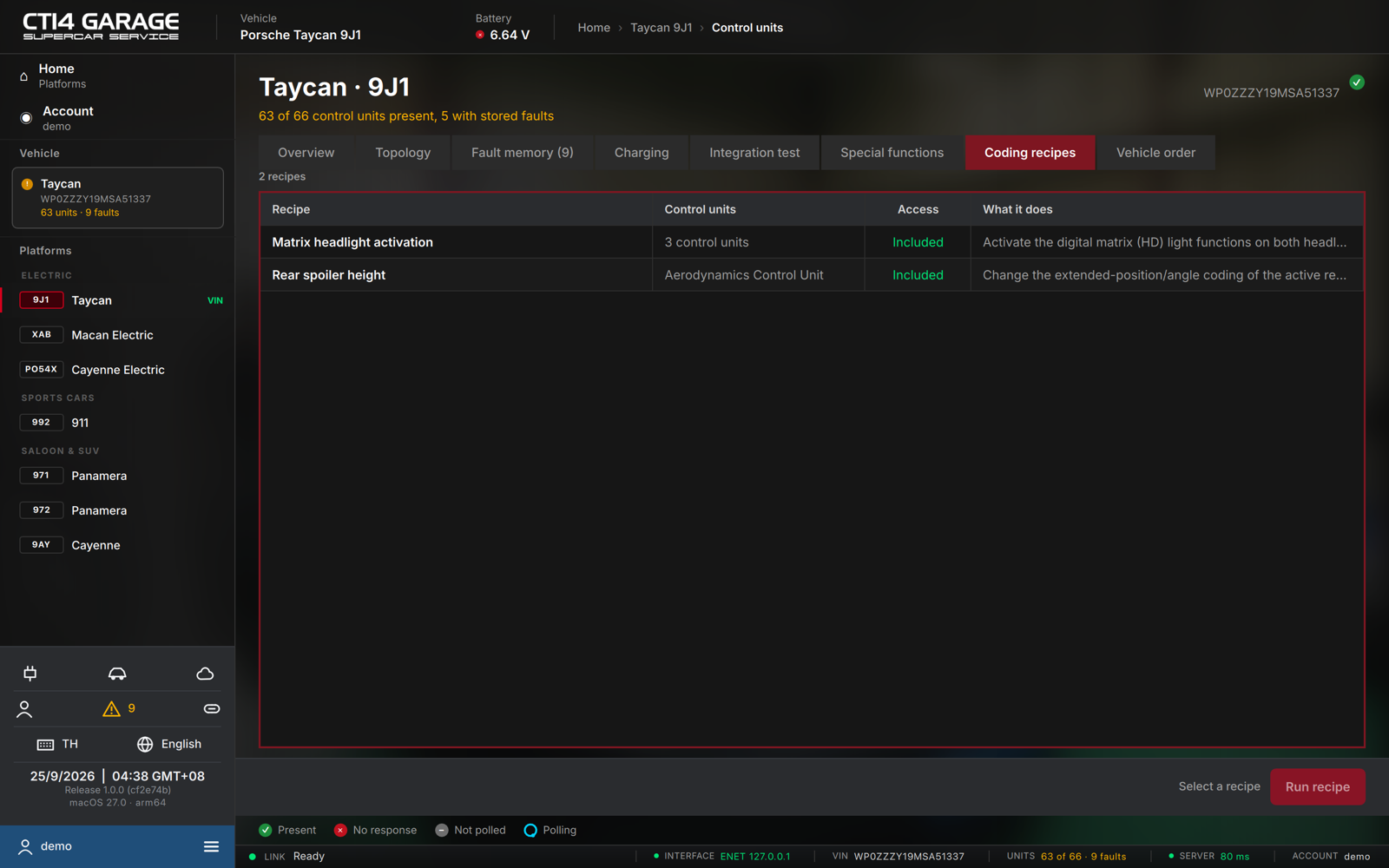
The list
Each recipe shows its name, the Control units it touches, its Access and a What it does description. Recipes are part of the car licence and the workshop plan — there is nothing to buy per recipe:
- Included — covered by your car licence (on that car) or your workshop plan.
- Free — available to everyone.
- Locked — needs a car licence or the workshop plan (see chapter 2).
Running a recipe
- Connect the car, select a recipe marked Included or Free, and press Run recipe (or double-click it).
- STEUER14 runs each step in order. A step may write coding values, rewrite the vehicle order, or run automatic coding against the new order — every write takes a server backup first.
- The results view lists each Step with its Control unit, the Request sent, a Status and the Result. When it finishes, the verdict reads Recipe applied. Press Back to return to the list.
If a step is refused, the verdict says which one and why. Stored faults on the unit or an SFD2 lock are the usual causes — clear the fault memory or unlock the unit and run the recipe again.