10. Maintenance & repairs
The Maintenance & Repairs tab runs guided, step-by-step service procedures for a control unit — the same procedures the factory tester uses, such as bleeding the brakes, a battery replacement or a range-calculation reset.
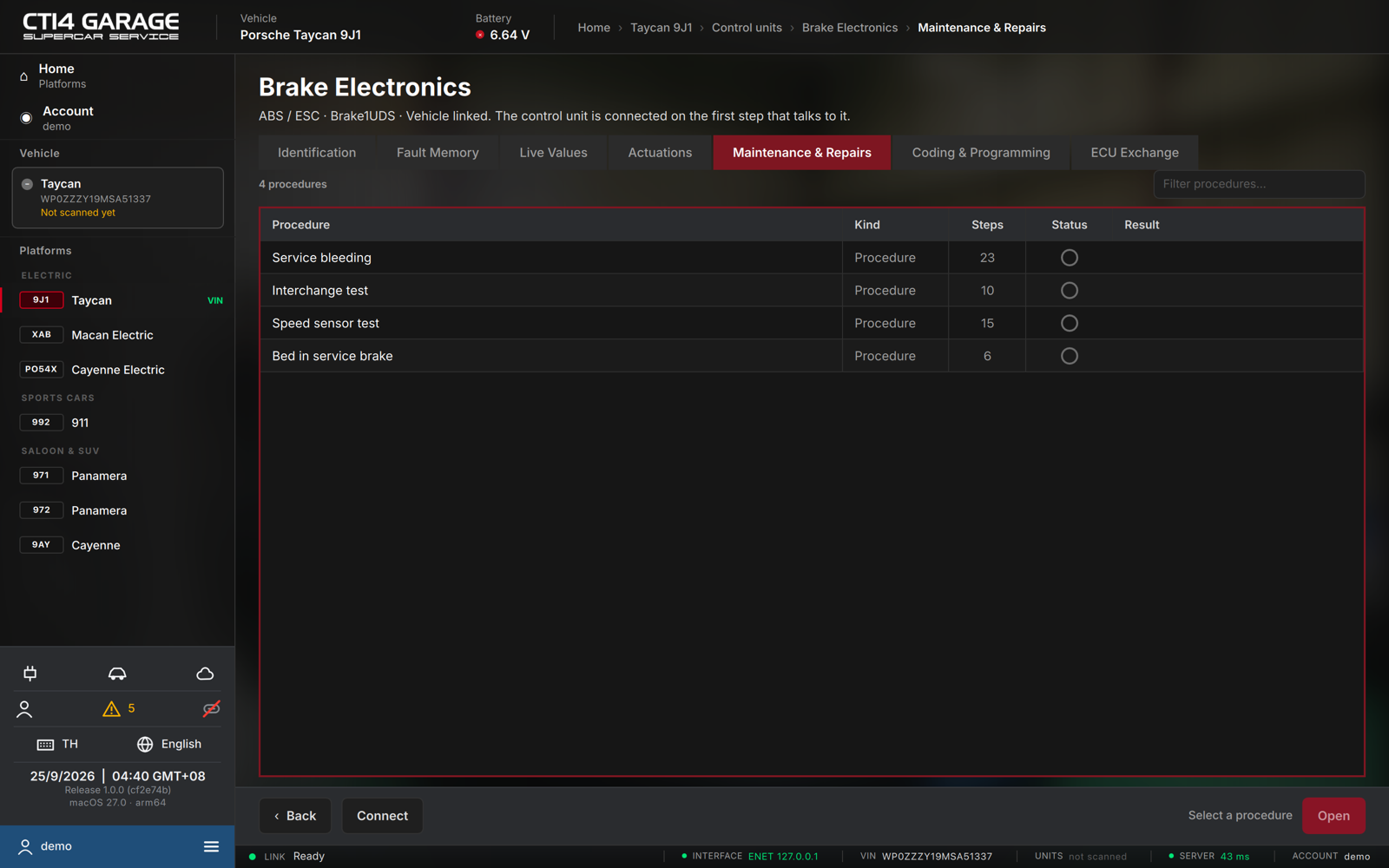
Choosing a procedure
- Open a control unit and select the Maintenance & Repairs tab. The list loads automatically; each row shows the Procedure name, its Kind, the number of Steps, a Status pictogram and the last Result.
- Use Filter procedures… to find one.
- Select a procedure and press Open (or double-click it).
Running a procedure
- A confirmation dialog (Start procedure?) warns that this procedure writes to the control unit and may drive components on the vehicle. Choose Start.
- The wizard runs step by step. A step may show:
- Information — an instruction, sometimes with a picture. Read it and continue.
- Enter values — a form (Parameter / Value). Type the requested values.
- Preconditions — a checklist; confirm every item before continuing.
- Control unit request / Security access / Waiting — the app talks to the control unit; wait for it.
- Advance with Next (F12). If a step fails, use Retry; use Abort to stop.
- Details toggles a table of every request and response sent so far.
- On the final Completed step, press Finish (or Procedures, F11) to return to the list.
Notes
- The car must be connected. The control unit is connected on the first step that talks to it.
- Procedures need a car licence or the workshop plan. Without access the list shows a Preview only.
- Guided fault finding can open the procedure a step needs directly (see chapter 5).