13. Special functions
Special functions are car-wide guided actions, reached from the control-unit overview's Special functions tab.
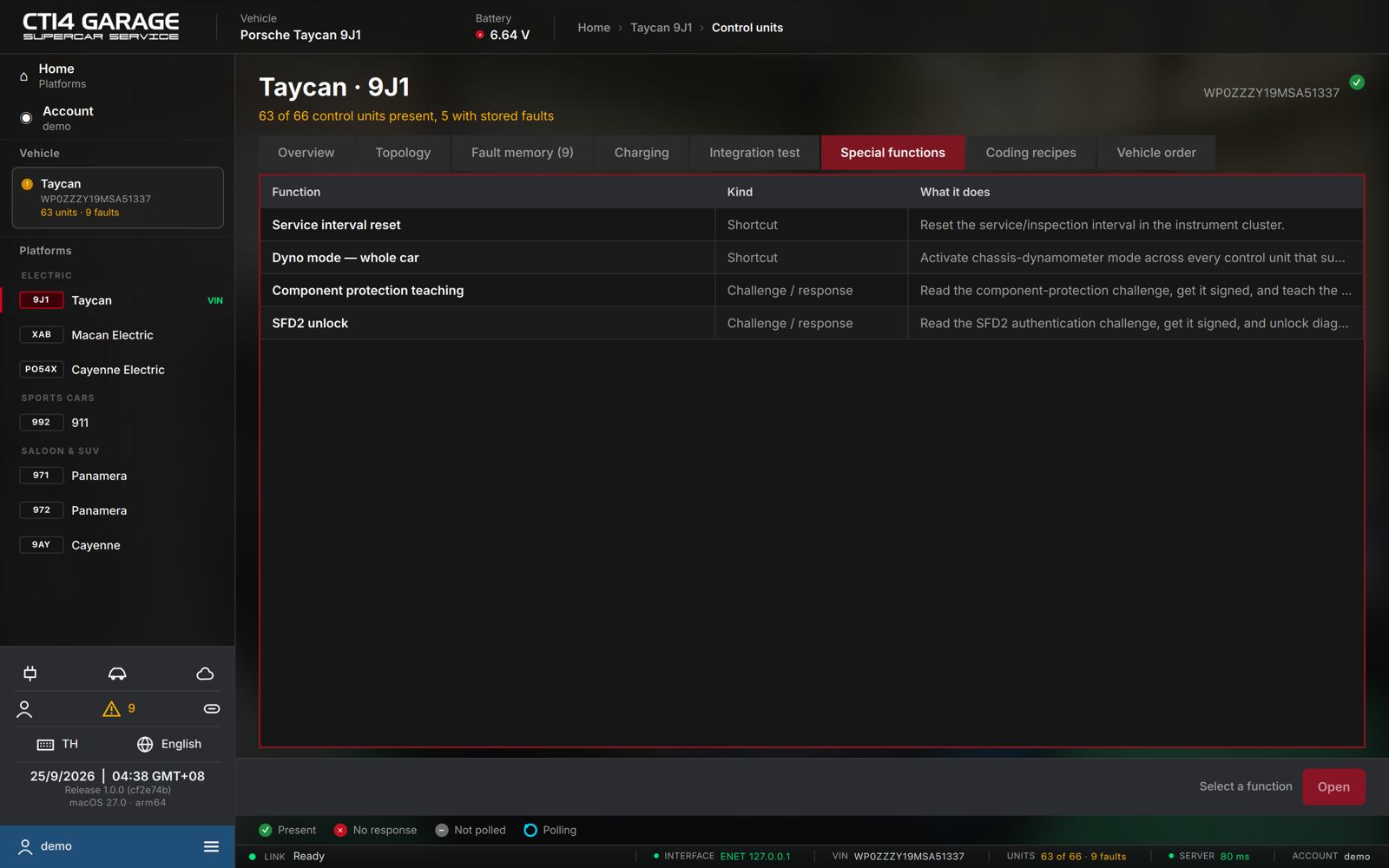
The menu lists four functions with their Kind and a description:
| Function | Kind | What it does |
|---|---|---|
| Service interval reset | Shortcut | Reset the service / inspection interval in the instrument cluster. |
| Dyno mode — whole car | Shortcut | Activate chassis-dynamometer mode across every control unit that supports it. |
| Component protection teaching | Challenge / response | Read the component-protection challenge, get it signed, and teach the control unit. |
| SFD2 unlock | Challenge / response | Read the SFD2 authentication challenge, get it signed, and unlock diagnostics. |
Select a function and press Open (or double-click it). The car must be connected; special functions need a car licence or the workshop plan.
- Shortcuts jump straight into the matching guided procedure.
- Challenge / response functions open a signing wizard (below).
Component protection & SFD2 — online signing
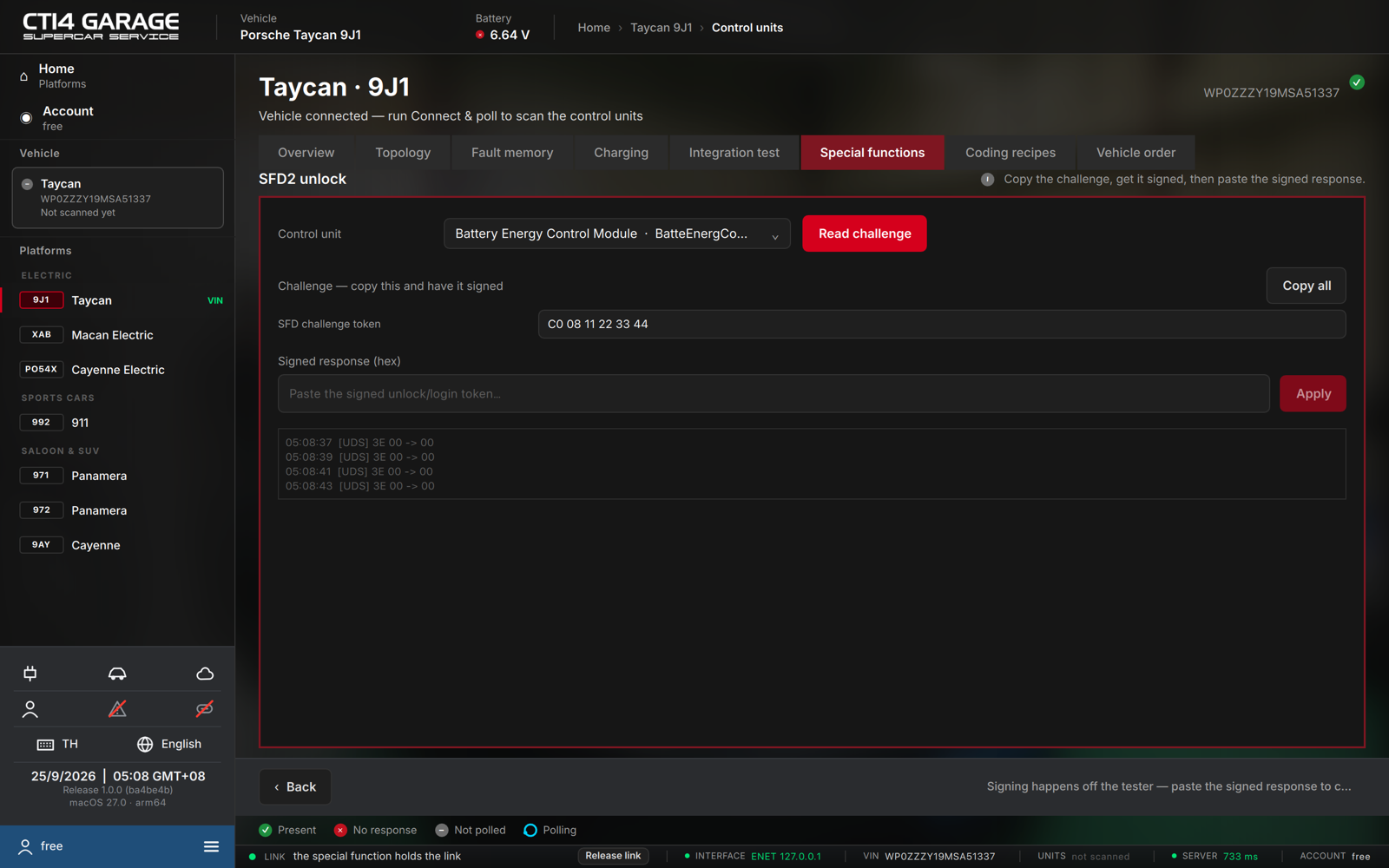
Newer control units protect coding, programming and component replacement behind Porsche's security schemes — SFD2 (an authentication unlock for diagnostics) and component protection (bound to the car's identity). Neither can be signed on the tester itself: the challenge has to be signed online by an authorised signing service. STEUER14 handles the exchange:
- Choose the Control unit and press Read challenge. The app reads the SFD challenge token (or, for component protection, the full challenge package).
- Press Copy all and have the challenge signed.
- Paste the returned Signed response (hex) into the field.
- Press Apply. The app writes the signed token to the control unit.
Signing happens off the tester. You need a valid online signing entitlement to obtain the signed response; without it, the control unit stays locked.
On the Macan Electric and Cayenne Electric most control units require SFD2 before coding can be written.