The ENET cable for your Porsche
Current Porsche models are diagnosed over Ethernet. All STEUER14 needs between the car and your laptop is a standard ENET cable, the one sold for BMW coding.
Updated · CT14 Garage
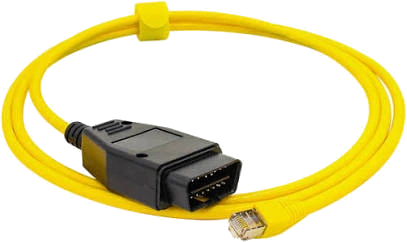
What an ENET cable is
Ethernet to OBD. A plain cable, with no electronics in between.
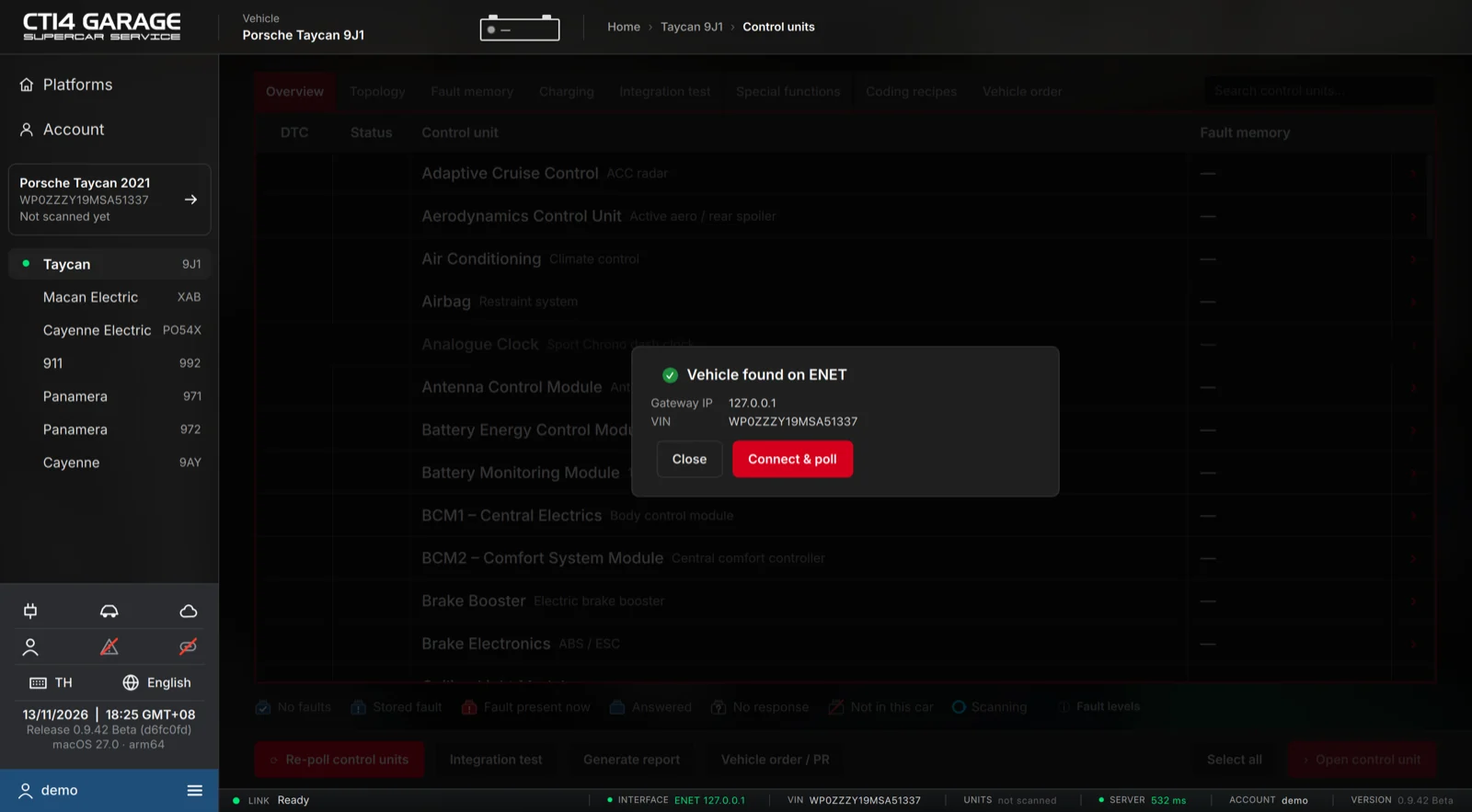
- The app finds the car on its own
- No driver to install
- No dealer interface
| Plugs | An OBD plug for the car's diagnostic port and an RJ45 Ethernet plug for the computer. |
| What it does | It connects the Ethernet pins of the diagnostic port to the computer and carries the activation line that switches the car's diagnostic Ethernet on. |
| Protocol | Diagnostics over IP (DoIP, ISO 13400). |
| What to search for | "ENET cable" or "BMW ENET cable". It is the same cable. |
| No Ethernet port | Add a USB to Ethernet adapter. |
| What does not work | Bluetooth, Wi-Fi and USB OBD dongles (ELM327 and the like). They have no Ethernet. |
Which cars it fits
One cable for all six models.
| Taycan | 9J1, model years 2020 to 2024. Taycan diagnostics |
| 911 | 992. 911 (992) diagnostics |
| Panamera | 971 and 972. |
| Cayenne | 9YA. |
| Macan Electric, Cayenne Electric | Fault codes, live values and coding. |
How to connect
Four steps. The car is found within about a minute.
| Step | What you do | What happens |
|---|---|---|
| 1 | Plug the cable in | The OBD plug goes into the diagnostic port under the dashboard on the driver's side, the other end into the laptop. |
| 2 | Switch the ignition on | The car's gateway answers only with the ignition on. |
| 3 | Leave the network alone | Keep the Ethernet adapter on automatic (DHCP) with no manual IP address. The computer gives itself a 169.254.x.x address. |
| 4 | Start STEUER14 | The app reports Vehicle found on ENET with the gateway address and the VIN. Press Connect & poll to scan the control units. |
If the car is not found
Check the cable and the ignition first. The app keeps looking and connects on its own.
| System | What to check |
|---|---|
| macOS | Allow Local Network access for STEUER14. Without it the car's answers are dropped. |
| Windows | Allow the app in the Windows Firewall prompt, on private and public networks. |
| Linux | The adapter has to be set to Link-Local Only. The app offers a button that does it for that adapter only. |
| Still nothing | Support, Troubleshooting checks the cable, the network and the server one row at a time. Manual: support |
Questions
Is a BMW ENET cable the right cable for a Porsche?
Yes. It is the same Ethernet to OBD cable. STEUER14 needs nothing else between the car and the laptop.
Do I need a dealer interface?
No. The app talks to the car directly over the ENET cable.
Can I use a Bluetooth OBD adapter?
No. Those adapters do not carry Ethernet, and these cars are diagnosed over Ethernet.
What can I do with the cable for free?
Read and clear the fault codes of every control unit, run the basic actuator tests, and read the high-voltage battery report of a Taycan. See pricing
More guides
| Taycan diagnostics | Everything STEUER14 does on a Taycan, from fault codes to firmware updates. |
| Taycan battery health | State of health, module voltages and isolation of the high-voltage battery. |
| Taycan 12 V battery | Symptoms of a weak 12 V battery and the faults it leaves. |
| Taycan dyno mode | Roller test mode for a dyno or brake tester. |
| Taycan Matrix headlights | Matrix Beam on a North-American Taycan, and which headlights can do it. |
| Taycan sport sounds | Other voices and louder levels for the Electric Sport Sound. |
| 911 (992) diagnostics | Fault codes, coding and firmware updates on the 992. |
| Porsche coding | Coding by hand, automatic coding and how recipes work. |
| Coding recipes | The list of ready recipes for each car. |
| PIWIS alternative | A comparison with the dealer tester and generic OBD scanners. |
| ENET cable | The one cable STEUER14 needs, and how to connect it. |
| Fault codes | Look up a Porsche fault code by number or control unit. |